WS_FTP Professional
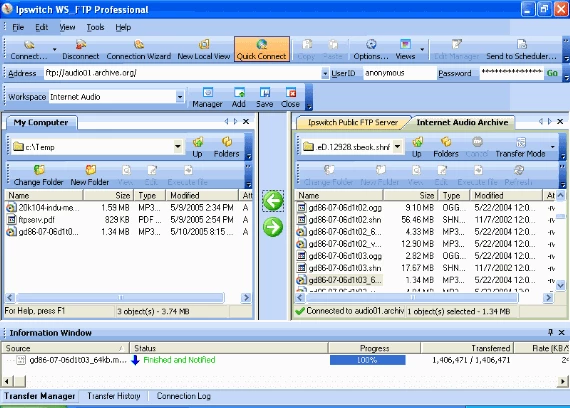
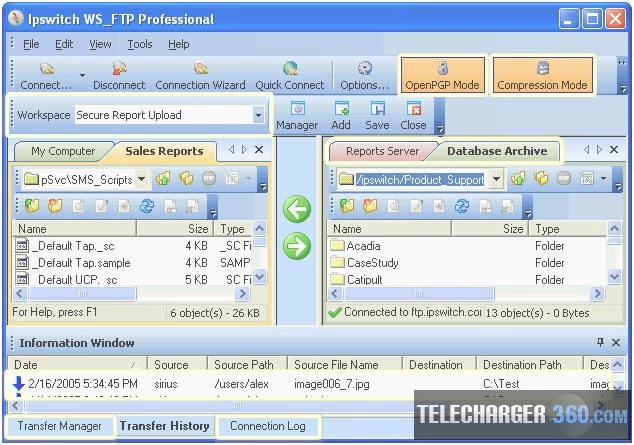
Windows desktop client for secure FTP, SFTP and FTPS transfers.
For teams needing a desktop tool to move, automate and encrypt file exchanges with external partners and legacy systems.

Windows desktop client for secure FTP, SFTP and FTPS transfers.
For teams needing a desktop tool to move, automate and encrypt file exchanges with external partners and legacy systems.
Many organisations still rely on desktop tools to exchange files with partners and legacy systems. Manual transfers, inconsistent encryption and limited logging increase operational risk and administrative overhead.
Use WS_FTP Professional for scheduled backups, mirrored synchronisation and routine partner exchanges where a Windows desktop client is required. It also supports ad-hoc transfers, server-to-server moves and scripted batch jobs to reduce manual steps.
Fits Windows-based environments in small and medium-sized organisations with in-house IT teams. Works alongside IIS or Apache servers and integrates with existing FTP/SFTP workflows while offering stronger encryption and automation.
Reduce manual transfer time with drag-and-drop, multi-connection and server-to-server capabilities.
Automate recurring tasks and post-transfer actions to remove repetitive manual work.
Transport and file-level encryption reduce exposure of sensitive data during transfer and at rest.
Robust transfer features and logging improve assurance that files reach their intended destinations.
Detailed logs and notifications provide traceable records to support incident review and investigation.
Maintain compatibility with existing FTP/SFTP workflows during upgrades or application changes.
Desktop transfers to exchange files with suppliers, clients or service providers over SFTP or FTPS.
Regularly archive critical folders to network drives or removable media with compression and scheduling.
Move sensitive records using FIPS-capable transport and OpenPGP file encryption to support organisational controls.
Automate batch jobs and post-transfer processing to reduce manual intervention in operational workflows.
Preserve existing FTP/SFTP integrations while modernising surrounding applications or processes.
Quickly move files via drag-and-drop and multi-server connections for troubleshooting or one-off exchanges.